Be honest. How many times have you hit “go ahead” on your coding assistant without responsibly reviewing the AI plan?
Reviewing code or text created by AI is like flossing. We know it’s the right thing to do, but rarely do it well. Why so?
We as a species enjoy creating. To review someone else’s work is not something we tend to do out of liking. Most of the time, it’s an activity we do begrudgingly out of necessity. To further do that review in an uninviting interface reduces the enthusiasm we can allocate towards that activity.
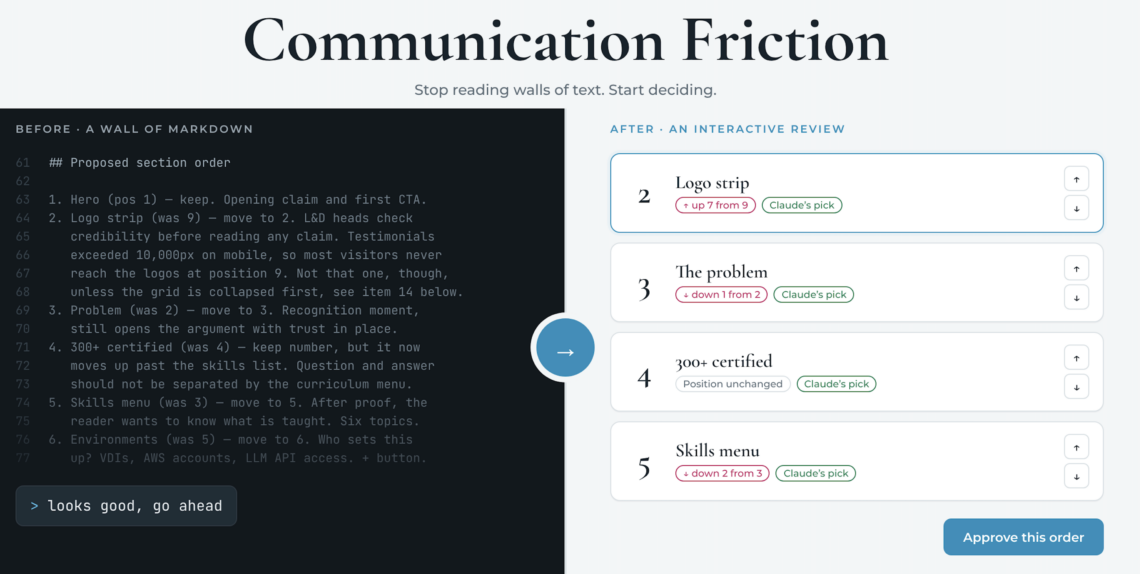
AI effortlessly generates walls of text. We cannot review it with the same level of ease. Your fav coding assistant might come up with 10 points and you want to approve 3 of them, modify 5 and reject 2 of the suggestions. Typing them all in the correct order sometimes becomes cumbersome. Impossible to do? Of course not. Just inconvenient. Basically, it’s hard to read a wall of text, and it’s hard to type structured feedback back. Hello – Communication Friction. (Trademark pending).
It’s always easy to defeat an enemy once we identify it. So how do we overcome Communication Friction? Here’s what I do. I get the AI to work a bit more to bridge this gap. I ask it to create interactive interfaces to reduce my cognitive load and make it easier for me to pass on my feedback to it. It’s best to illustrate this with concrete examples.
Example 1
I was co-working with Claude Code on the landing page for AI-rambh (my AI training academy). I got feedback from one of my ex-interns on rearranging one of the sections. It sounded reasonable. So I asked Claude to analyze the sections and come up with the order. But I didn’t want to squint my eyes reading some markdown output from Claude and then type in which sections I needed in a different order. So, I asked it to generate an artifact where it was supposed to:
- show me the suggested changes in order,
- provide its reasoning for justifying the order for each section,
- offer me an interactive way to adjust the order
Here’s what Claude created. Feel free to click on the link and play around with it. (You making changes there won’t affect my web-page’s layout.)
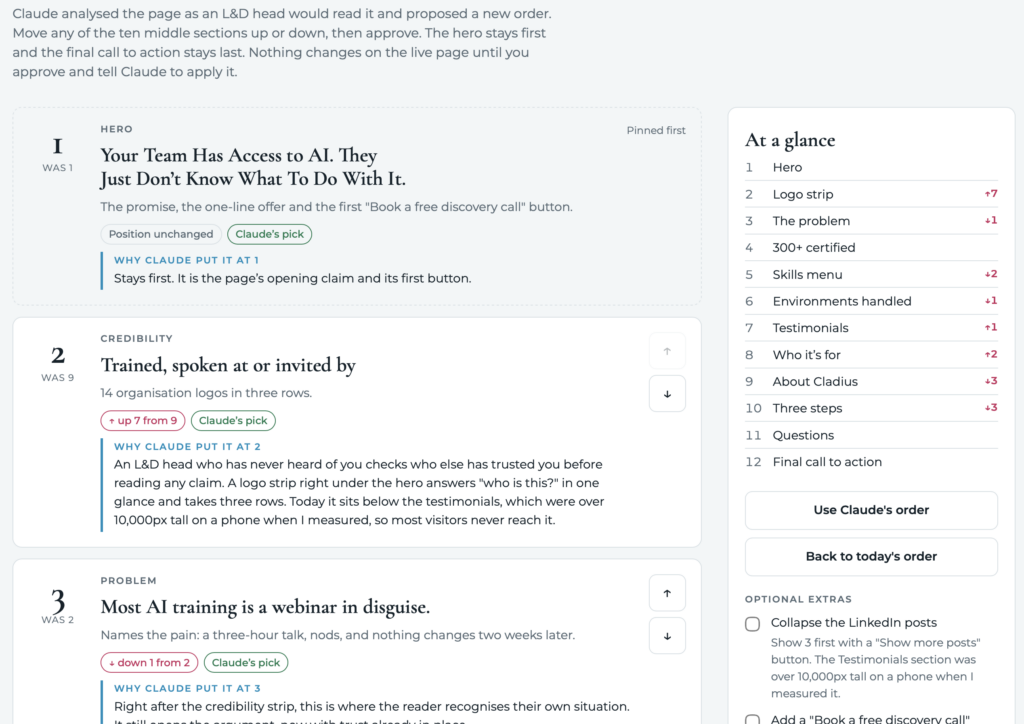
Isn’t this a much more intuitive way to bridge the gap between our AI assistants and us? Yes, it costs a few more tokens. But I find it worth the effort reduction it provides for me in the review-understand-critique loop.
Example 2
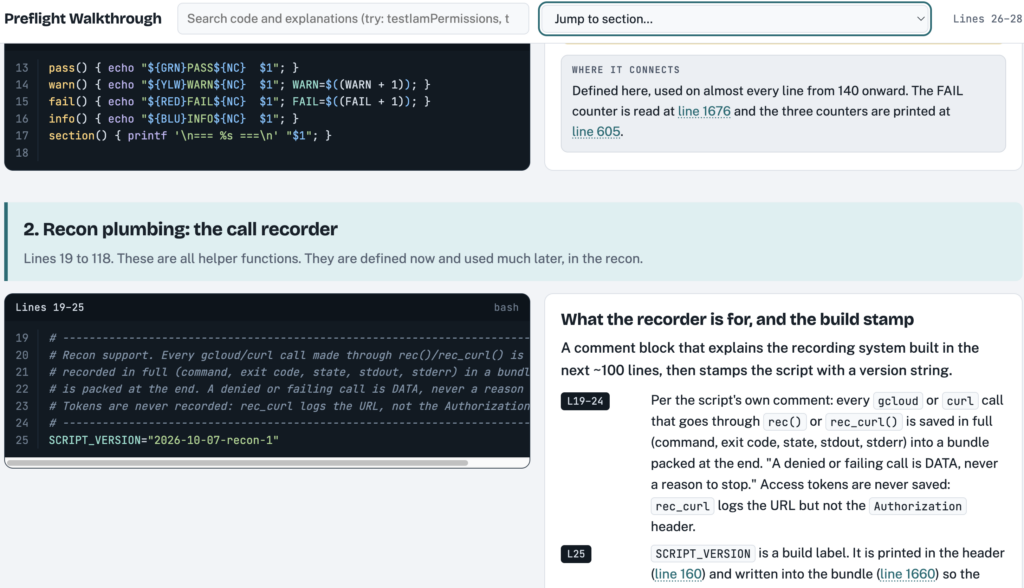
Trying to understand some code written by a peer to figure out what’s going on? Get Claude to help out with a different type of artifact. Ask it to break down the code into logical sections and show the explanation right next to code snippets. Here’s a lightweight example.
Example 3
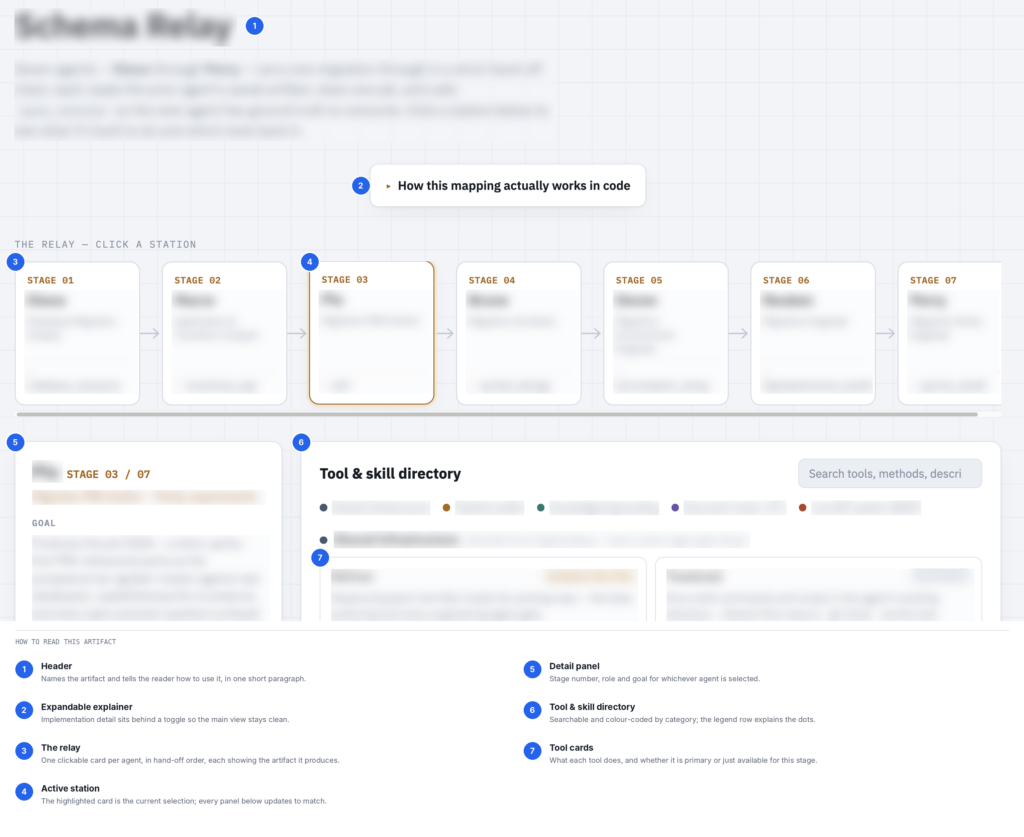
Some codebases might be a labyrinth which takes time and effort to explore and map out. Once again, you can ask Claude to do the heavy lifting for you. Ask it to create an interactive artifact that you click on to navigate different sub-sections. Make it map out the different relations so that you don’t have to labour to do the same.
Conclusion
Communication friction is a real hurdle. If left unsolved can lead to the final work of AI not completely matching with the result you desired. One way is to work through walls of text or keep typing in diligently. The alternative is to get AI to make the co-working interface more inviting. I suggest the latter option for cognitive-heavy tasks.